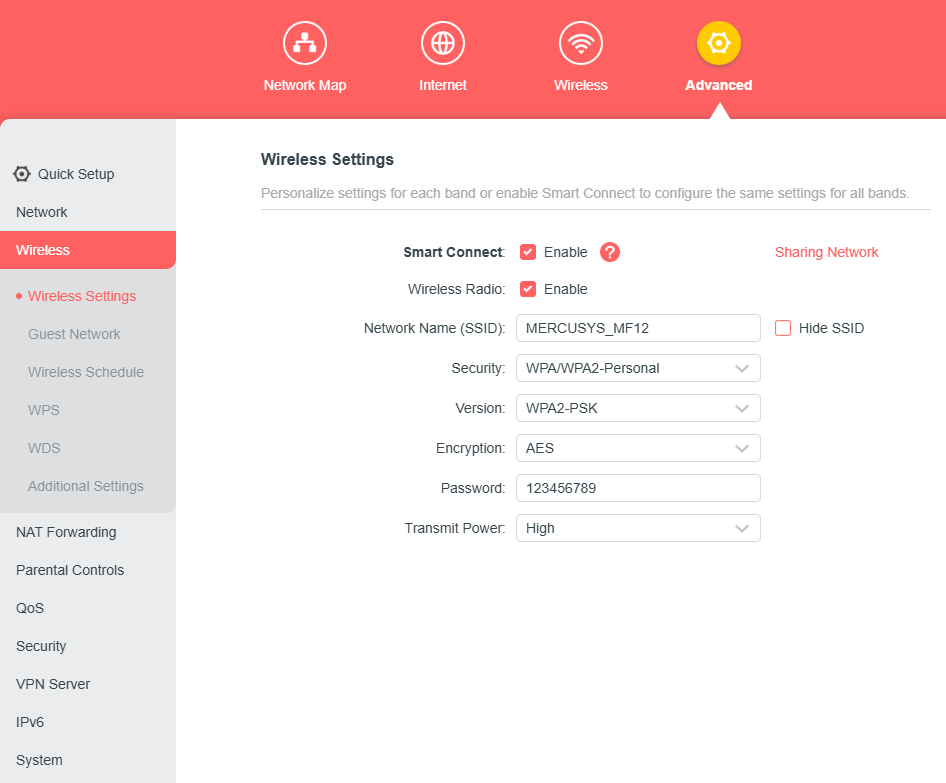
This article mainly shows the detailed instructions to find or change the wireless password of MERCUSYS router through label and web management page.
If you don’t know your Wi-Fi password or forget it, you can reset the router then use the infomation under the router to reconfigure or change wireless name and password.
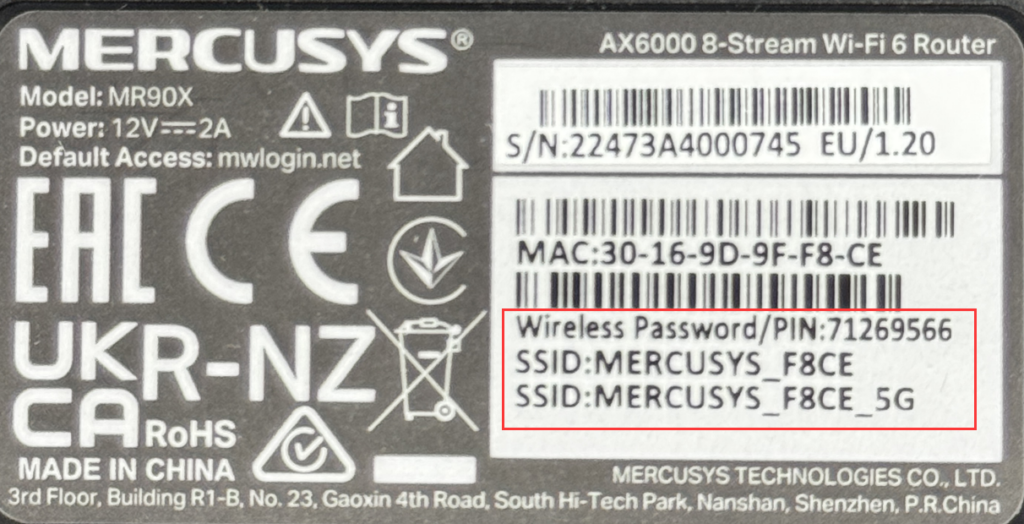
Device info in the label
For most models, the default SSID and password are on the label under the router, such as in the picture below. You can connect to Wi-Fi via the info on the label.
Via Web Interface
You can also check the wireless info via the web interface.
1. Log in to the web-based interface of the router by clicking here http://mwlogin.net
2. There are 2 cases based on your models.
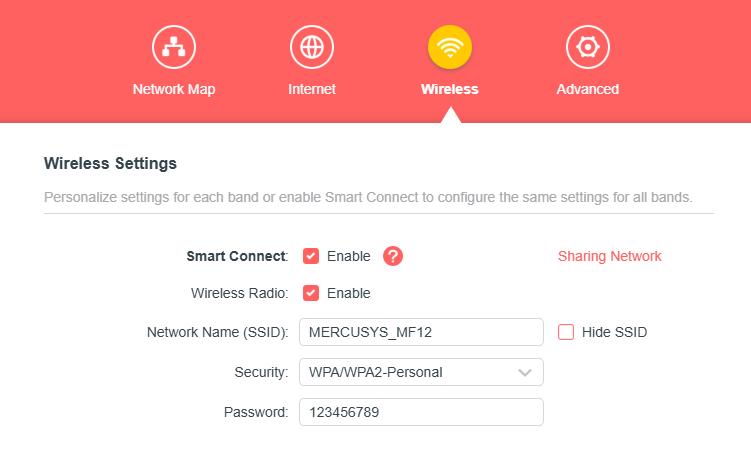
Case 1. Please go to Wireless > Wireless Settings, and then you will see the wireless password.
Case 2. Go to Advanced > Wireless > Wireless Settings, and you can also find or change the SSID and password on that page.